
 01
Edit
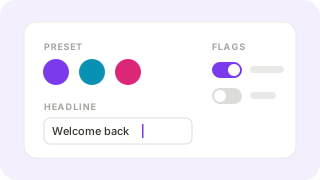
Pick a preset or set each colour, the corner radius, and light or dark mode. Change text your views already show, and switch feature flags on or off.
Mobile Studio is a page on your own web app. Change the theme, text, and feature flags of an Android or iOS app that people already have installed, check every screen at a real phone width, and publish in one click.
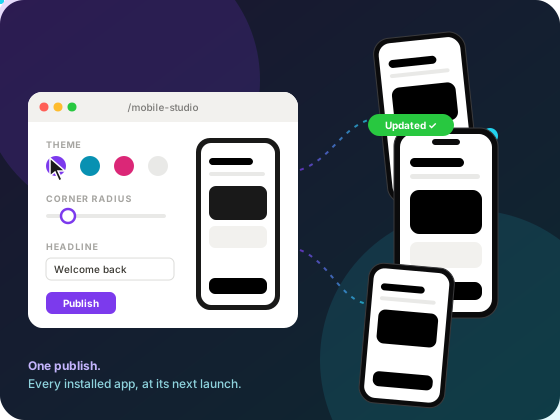
Three steps, all in the browser, all on your own server.
01
Pick a preset or set each colour, the corner radius, and light or dark mode. Change text your views already show, and switch feature flags on or off.
 02
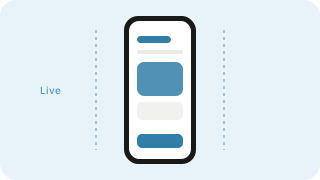
Every screen renders at a real phone width as you type. Links inside the preview switch screens, and fields with a problem are flagged before you can publish.
 03
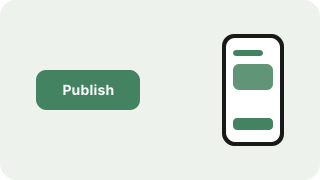
One click, or Ctrl+S. Installed apps pick up the new settings the next time they launch or come back to the foreground.
Change anything on the left and the phone follows. Tap the tabs inside the phone, then publish and watch three installed apps pick it up.
Preset
#7c3aed
12px
Feature flags
Phone width
Good morning, Sam
Welcome back
Your orders, at a glance.
Offers
Sam Rivera
Small, medium, and large match common phone widths.
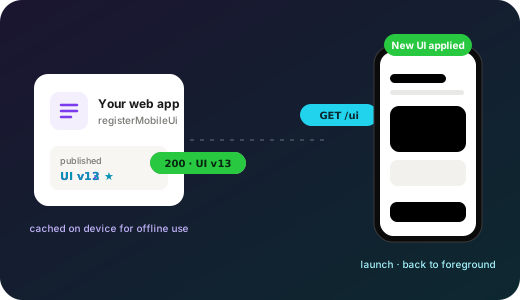
Your compiled views stay inside the app. Only the theme, text, and flags travel, so an update is tiny and a check costs almost nothing.
Primary, accent, background, surface, text, muted, and border colours, corner radius, and light or dark mode. Presets give you a starting palette.
theme.primary = #7c3aed
Any value your views read from render data—a headline, a banner, a support email—edited in place.
h1 headline
Switch a feature on for everyone at once. Flags reach views, scripts, and native builds.
Noderyx.flags.offers
Preview small, medium, and large screens side by side with what you publish, so nothing surprises you on a real device.
small · medium · large
Colours must be hex, rgb(), or hsl(), and text must be plain values. A typo cannot break installed apps.
rgb(124 58 237)
Settings are saved under storage/mobile-ui/ by default, or in your own database with a get and set pair.
store: { get, set }
Register the mobile UI routes and the studio appears at /mobile-studio on your web app. Without an authorize function it is read-only, so nobody can publish by accident.
Not for theme, text, or flag changes—those are settings the app downloads. New screens or new native code still need a normal build and store release.
It keeps the last UI it downloaded and checks again the next time it launches or comes back to the foreground.
No. Reading the UI is public, but publishing calls your authorize function. Without one, the studio is read-only.
Under storage/mobile-ui/ by default. Pass store with get and set to keep them in your database—useful when the web app runs on more than one server.
Yes. Packaged apps read flags as Noderyx.flags in scripts, and native builds read them from native.flags.
Add Mobile Studio to a Noderyx app with packaged mobile builds, and the next colour, headline, or flag is a publish away.